Tarana Labs / Blog / Business Systems
WhatsApp automation for SMEs: bookings, orders and replies
6 min read · 20 Oct 2026 · Tarana Labs
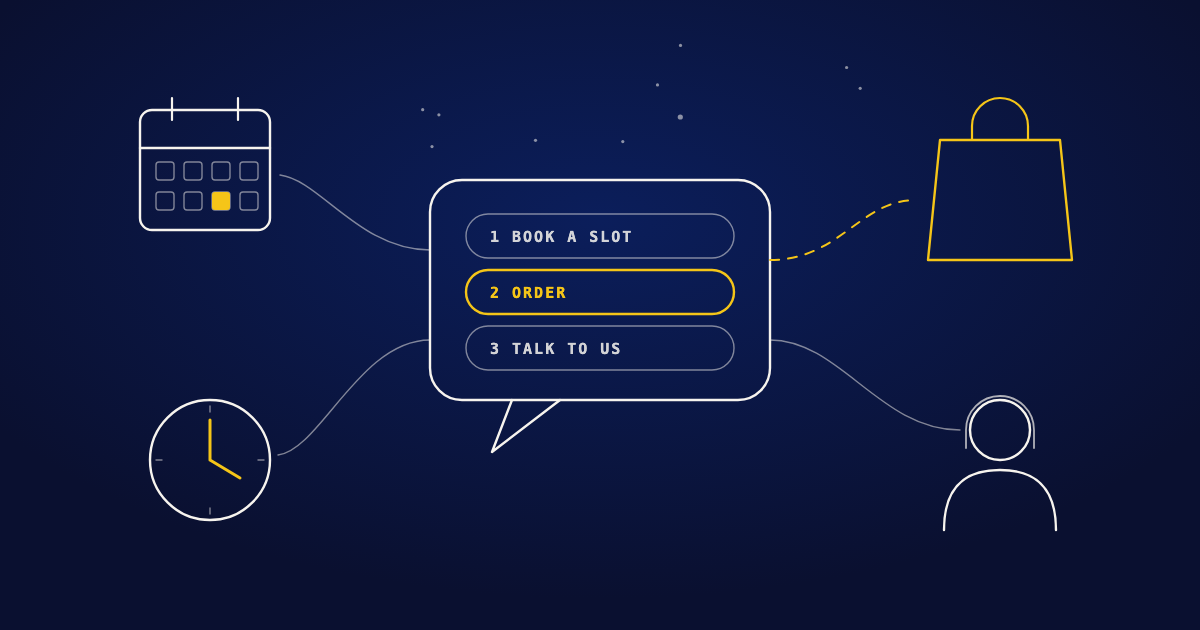
In Malaysia, customers do not fill in forms. They WhatsApp. That is great for closeness, and terrible at 11pm when forty messages are waiting, half of them asking for the same price list. WhatsApp automation lets an SME answer the routine questions instantly, take bookings and orders without retyping them, and send reminders, while your team handles the conversations that need a person.
This guide explains what you can automate, the difference between the free WhatsApp Business app and the WhatsApp Business Platform, the rules Meta sets, how pricing works in 2026, and a sensible way to start.
What WhatsApp Automation Can Do For An SME
The best automations remove repetitive typing, not the human touch. Common, proven uses:
- Instant answers. Opening hours, location, price lists, menus and FAQs, sent in seconds at any hour.
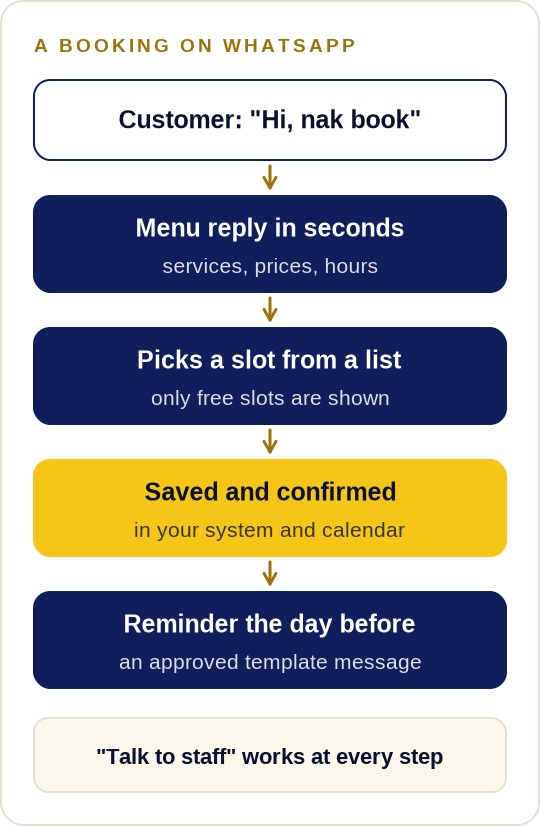
- Bookings. Customers pick a service and a free slot from a list; the booking lands in your calendar and a confirmation goes out.
- Orders. Customers browse a catalogue or menu, send an order, and it arrives in your system with the items, total and pickup or delivery details.
- Reminders. Appointment reminders the day before, payment reminders, and "your order is ready" notices.
- Updates. Delivery status, receipts and links to invoices.
- Handover. A "talk to staff" option at every step that passes the chat to a real person with the history attached.
Here is how a typical booking flow looks for a salon or studio:
The Free App Or The Business Platform
There are two ways to use WhatsApp for business, and the choice decides how much you can automate.
| WhatsApp Business app | WhatsApp Business Platform | |
|---|---|---|
| Cost | Free | Charged per delivered template message |
| Who replies | You, on a phone or linked devices | Your system, a bot and your team, through an inbox |
| Automation | Greeting and away messages, quick replies, labels, a catalogue | Full flows, bookings, orders, reminders, integrations |
| Connects to your systems | No | Yes, through the API |
| Best for | Owner-run shops with a manageable number of chats | Businesses with many chats, several staff or a booking or order system |
If you are a one-person business, set up the free app properly first: a greeting message, an away message with your hours, quick replies for your top ten questions, and a catalogue. That alone saves hours a week.
When several staff need to reply, or chats should create bookings and orders automatically, you need the Business Platform. You access it through Meta's Cloud API directly or through a Business Solution Provider, and connect it to your booking or order system.
The Rules You Must Work Within
Meta sets clear rules to keep WhatsApp from turning into spam. Building around them from the start avoids surprises.
The 24 Hour Customer Service Window
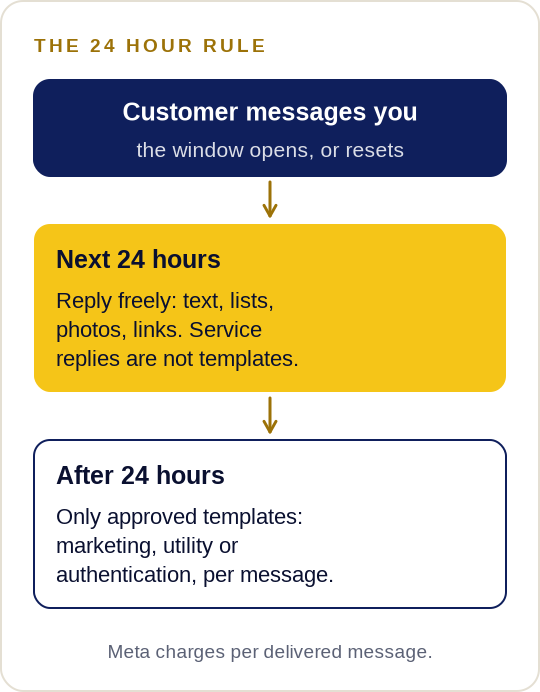
When a customer messages you, a 24 hour window opens, and each new message from them resets it. Inside the window you can reply with normal messages: text, lists, buttons, photos and links. Outside it, you can only send pre-approved template messages.
Templates And Opt-In
Templates are messages you submit to Meta for approval in advance, with blanks for details like name, date and time. They fall into three categories: marketing (promotions and offers), utility (confirmations, reminders, order updates) and authentication (one-time codes). Customers must have opted in to hear from you, so collect permission clearly, for example with a tick box on your booking form.
Personal Data
Chats contain names, phone numbers and sometimes health or payment details. Malaysia's Personal Data Protection Act applies, and its 2024 amendments added duties such as notifying the Commissioner of data breaches and appointing a data protection officer in many cases. Store chat data in systems you control, limit staff access by role and keep only what you need.
How WhatsApp Pricing Works In 2026
Since 1 July 2025, Meta charges per delivered message rather than per conversation, and the rate depends on the message category and the recipient's country. Messages customers send to you are free.
- Marketing, utility and authentication templates are charged per message delivered. Utility and authentication have volume tiers that lower the rate as you send more.
- Service messages, your normal replies inside the 24 hour window, were free from November 2024. From 1 October 2026, each business phone number gets 1,000 free service messages a month, and service messages beyond that are charged.
- Utility templates sent inside an open window were free from July 2025 and are charged from 1 October 2026.
- Click to WhatsApp ads open a free entry point window, during which replies are not charged.
Meta may update prices only on 1 January, 1 April, 1 July and 1 October each year, so check the current rate card for Malaysia before you budget. For most SMEs, the message costs are modest compared with the staff time saved, but a reminder sent to every customer every week adds up, so design flows that message people only when it helps them.
How To Start Without Overbuilding
- List your top questions. Go through a week of chats and count what people ask. The top five usually cover most messages.
- Fix the basics in the free app with quick replies and an away message, even if you plan to go further.
- Pick one flow that costs you the most time, usually bookings or orders, and automate that first.
- Connect it to the system of record. A bot that takes bookings but does not update your calendar just moves the typing. The value comes when WhatsApp, your calendar, your orders and your invoices share one database.
- Always offer a person. Make "talk to staff" easy at every step, and set expectations for reply times.
- Measure. Track how many chats are fully handled, how many hand over, and how many bookings or orders come through.
A WhatsApp flow is usually one part of a larger admin management portal, where your team sees the same bookings and orders the bot created. WhatsApp notifications typically add a few thousand ringgit to a project; the App Cost Calculator shows how it fits into the total. And make sure every link your bot sends shows a proper preview: see why your links look broken on WhatsApp.
Questions
Can I automate WhatsApp with the free Business app?
Partly. The free app supports greeting and away messages, quick replies, labels and a catalogue. Full flows such as bookings, orders and automatic reminders that connect to your systems need the WhatsApp Business Platform.
Can I send promotions to all my customers on WhatsApp?
Only to customers who have opted in, using approved marketing templates, which are charged per delivered message. Sending to people who have not agreed risks being blocked and reported, which can limit your number.
Do I need a new phone number for the Business Platform?
Not always. Meta now offers a way to connect an existing WhatsApp Business app number to the Platform, though some features work differently. Many businesses still register a dedicated number for the Platform. Your provider can tell you which option suits your setup.
Is a WhatsApp chatbot the same as AI?
Not necessarily. Most business flows are simple menus and forms, which are reliable and cheap. An AI assistant can answer open questions from your own content, but it should always be able to hand over to staff.
How much does WhatsApp automation cost?
There is a one-off cost to build and connect the flows, and ongoing per message charges from Meta plus any provider fees. Your normal replies inside the 24 hour window are free up to 1,000 a month per number, with charges beyond that from October 2026.
Sources
- Meta: WhatsApp Business Platform pricing
- Meta: Message templates
- Meta: Sending messages and the customer service window
- WhatsApp: WhatsApp Business app
- Personal Data Protection Department Malaysia
Related Articles
- Website vs admin management portal: what a business system does (Business Systems, 1 Oct 2026): The difference between a website and an admin management portal, what a business system does for a Malaysian SME, signs you need one and how to start.
- How to get your business recommended by ChatGPT and Claude (AI And Search, 28 Nov 2026): How AI assistants like ChatGPT, Claude and Perplexity pick which businesses to recommend, and the five fixes that help a Malaysian business get named.
- PCB in Malaysia 2026, explained with one payslip (Tax And Payroll, 22 Nov 2026): What PCB is, how LHDN's 2026 formula works and why it lands where it does, walked through one example RM5,000 payslip line by line, with EPF, SOCSO and EIS.