Tarana Labs / Blog / Business Systems
Website vs admin management portal: what a business system does
5 min read · 1 Oct 2026 · Tarana Labs
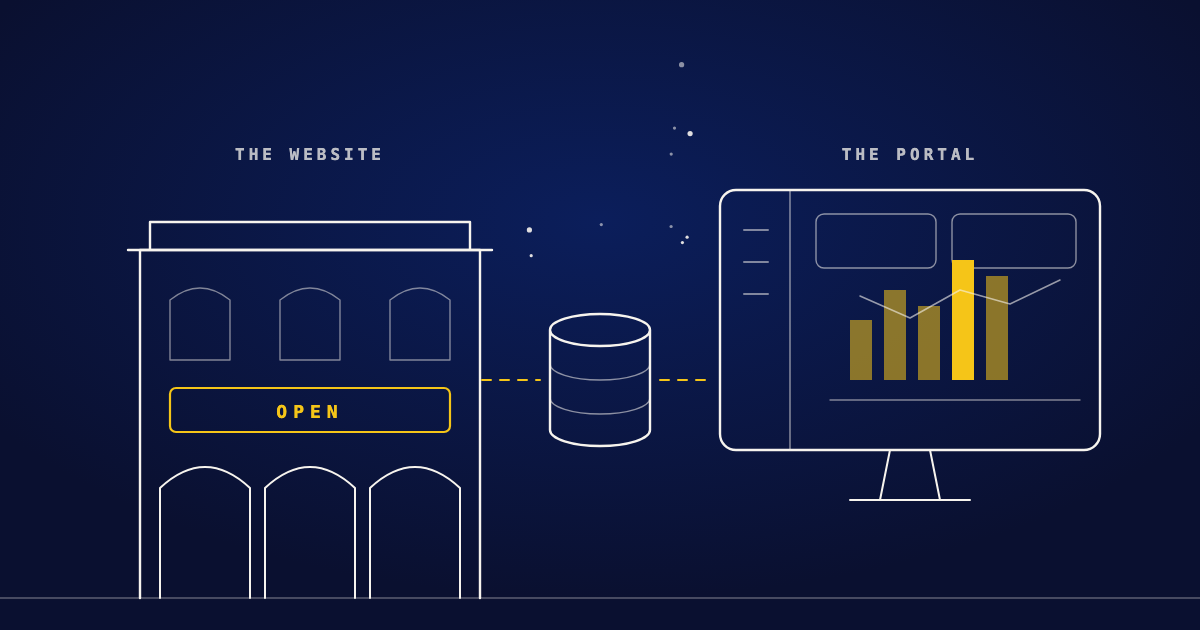
Many business owners ask for "a website" when what they really need is help running the business behind it. A website shows customers who you are and turns visitors into enquiries. An admin management portal is the private system your team uses every day to handle those enquiries, clients, orders, stock, staff and invoices. Understanding website vs admin management portal helps you spend on the right thing first.
Think of a Malaysian shophouse. The website is the shopfront on the five-foot way: the signboard, the display, the door customers walk through. The admin management portal is the office upstairs, where the orders, the accounts and the planning happen.
Website Vs Admin Management Portal: The Difference
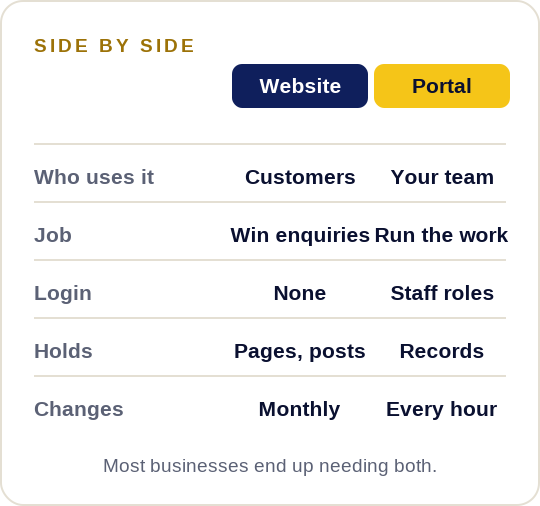
| Website | Admin management portal | |
|---|---|---|
| Who uses it | Customers and visitors | Your team, by role |
| Main job | Get found, build trust, win enquiries | Run the work and keep records |
| Login | None for most pages | Every user has their own login |
| What it holds | Pages, photos, articles, forms | Clients, orders, bookings, stock, invoices, staff |
| How often it changes | When you update content | Every hour of the working day |
| Success means | More enquiries and sales | Less admin, fewer mistakes, clearer numbers |
A website can have a small admin area to edit pages and read enquiries. A business system goes much further: it models how your business actually works.
What A Business System Does
An admin management portal brings the scattered tools of a growing business into one private place. Typical parts:
- Clients and leads. Every enquiry from the website, WhatsApp or walk-in, with where it came from and what happened next.
- Orders, bookings or projects. The core of your work, with statuses everyone can see: new, confirmed, in progress, done, paid.
- Quotations and invoices. Created from the same records, numbered properly, with SST, and connected to LHDN's MyInvois e-invoicing where you need it.
- Stock or resources. What you have, what is reserved and what needs reordering.
- Staff and roles. Each person sees and changes only what their job needs: the cashier, the manager and the accountant all have different views.
- Reports and dashboards. Sales this month, top products, unpaid invoices, busiest hours, without building a spreadsheet every Friday.
- Notifications. Confirmations and reminders by email or WhatsApp, triggered by what happens in the system.
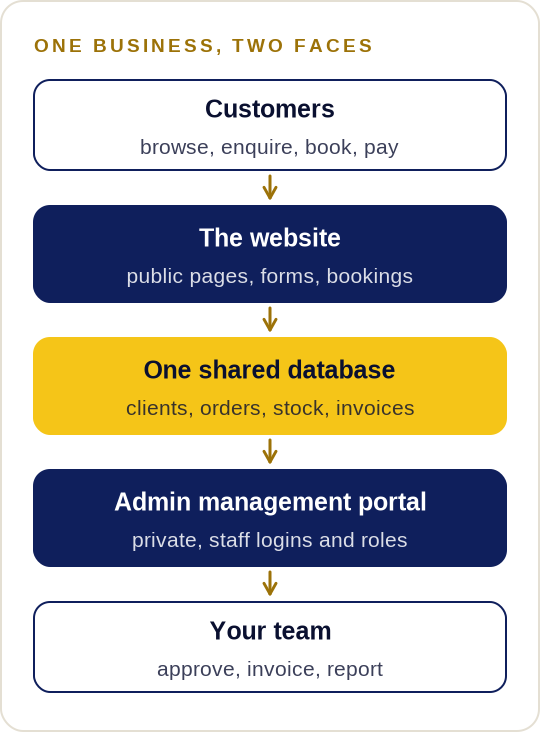
The important idea is one shared database. The website, the portal and a mobile app all read and write the same records, so a booking made online appears instantly for the staff who will serve it.
Signs You Need A Business System
You probably need an admin management portal, not just a better website, if several of these sound familiar:
- Orders or bookings arrive across WhatsApp, phone calls, Instagram and email, and some get missed.
- The "system" is a set of spreadsheets that only one person really understands.
- You retype the same customer details into a quotation, an invoice and a delivery note.
- You cannot answer "how much did we sell last month, and to whom?" without a day of work.
- Staff share one login, or you cannot control who sees prices, costs or customer data.
- A new requirement, like MyInvois e-invoicing, means even more manual uploads.
- Opening a second outlet or hiring more staff would multiply the chaos.
Off The Shelf Or Custom?
Ready-made software exists for many jobs: accounting, POS, HR and payroll, booking. Use it when it fits how you work. A custom admin management portal makes sense when:
- Your process is what makes you different, and generic software forces you to work around it.
- You are paying for several subscriptions that do not talk to each other.
- You need your website, app and team to work on one set of records.
- You want to own your system and data outright, without per-user fees that grow with your team.
Often the best answer is a mix: keep your accounting software, and build a portal for everything else that connects to it.
What It Costs And How Long It Takes
As a guide from a small Kuala Lumpur software house in 2026, before SST, a company website typically costs RM3,000 to RM8,000, while a business system starts from about RM22,000 and grows with the number of screens, roles and integrations. Building one usually takes three to five months, in short cycles where you see progress every week. Running costs for hosting and services are typically a few hundred ringgit a month. The App Cost Calculator gives a ballpark for your own mix of features, and our guide to what an app or website costs in Malaysia explains the drivers.
How To Start Well
- Map one process end to end. For example, from a customer's first message to the paid invoice. Write down every step and every tool used.
- Find the biggest leak. Where are things lost, retyped or delayed? That is your first module.
- Decide who sees what. List the roles and what each needs. This shapes the whole system.
- Plan your data. Clean up your customer and product lists now; good data makes launch day smooth.
- Launch small, then grow. Start with one module that solves the biggest leak, use it for a few weeks, then add the next.
- Take security seriously. Personal logins, roles, backups and secure hosting are not optional. Malaysia's Personal Data Protection Act applies to the customer data you hold, and its 2024 amendments added duties such as notifying the Commissioner of data breaches.
Questions
Is an admin management portal the same as a website admin area?
No. A website admin area lets you edit pages and read form submissions. An admin management portal runs your operations: clients, orders, bookings, stock, invoices, staff roles and reports.
Do I need a website before a business system?
Not necessarily. Some businesses need the internal system first, because the pain is behind the scenes. Most end up with both, sharing one database, so the website feeds the portal directly.
Can a business system connect to my accounting software?
Usually yes. Many accounting packages used in Malaysia offer APIs or import formats. A portal can send invoices and payments to your accounting software so your accountant keeps working the way they do today.
Can the portal issue MyInvois e-invoices?
Yes. A portal can submit invoices to LHDN's MyInvois System through the API and store the validated e-invoice with its QR code, which removes manual uploads. See what SMEs must do for MyInvois in 2026.
Who owns the system and the data?
You should. Make sure your contract states that the source code and data belong to your business, and that you can export your data at any time.
Sources
- Personal Data Protection Department Malaysia
- Personal Data Protection Act 2010
- LHDN: e-Invoice implementation timeline
- OWASP Top 10
Related Articles
- WhatsApp automation for SMEs: bookings, orders and replies (Business Systems, 20 Oct 2026): What WhatsApp automation can do for a Malaysian SME, the free app versus the Business Platform, the 24 hour rule, per message pricing and how to start.
- How to get your business recommended by ChatGPT and Claude (AI And Search, 28 Nov 2026): How AI assistants like ChatGPT, Claude and Perplexity pick which businesses to recommend, and the five fixes that help a Malaysian business get named.
- PCB in Malaysia 2026, explained with one payslip (Tax And Payroll, 22 Nov 2026): What PCB is, how LHDN's 2026 formula works and why it lands where it does, walked through one example RM5,000 payslip line by line, with EPF, SOCSO and EIS.